
Connectedwith Privacy
Family and friend location sharing, only with permission.
Android app coming very soon
So why ImSafe?
ImSafe is designed to be an alternative to intrusive tracker apps that constantly share your location and activity. With ImSafe you only share what you want to when you want to.
With ImSafe you can request the location of a friend or family member but they can choose to share their location or just that they are safe.
You can check-in with family and friends telling them where you are or just that you are safe. Or if you don't feel safe you hit the SOS button to alert everyone or just a group.
Questions about privacy and how it works? Read the ImSafe FAQ, or see how ImSafe compares as a Life360 alternative. Or browse our guides to looking out for family and friends.
So how does ImSafe work?
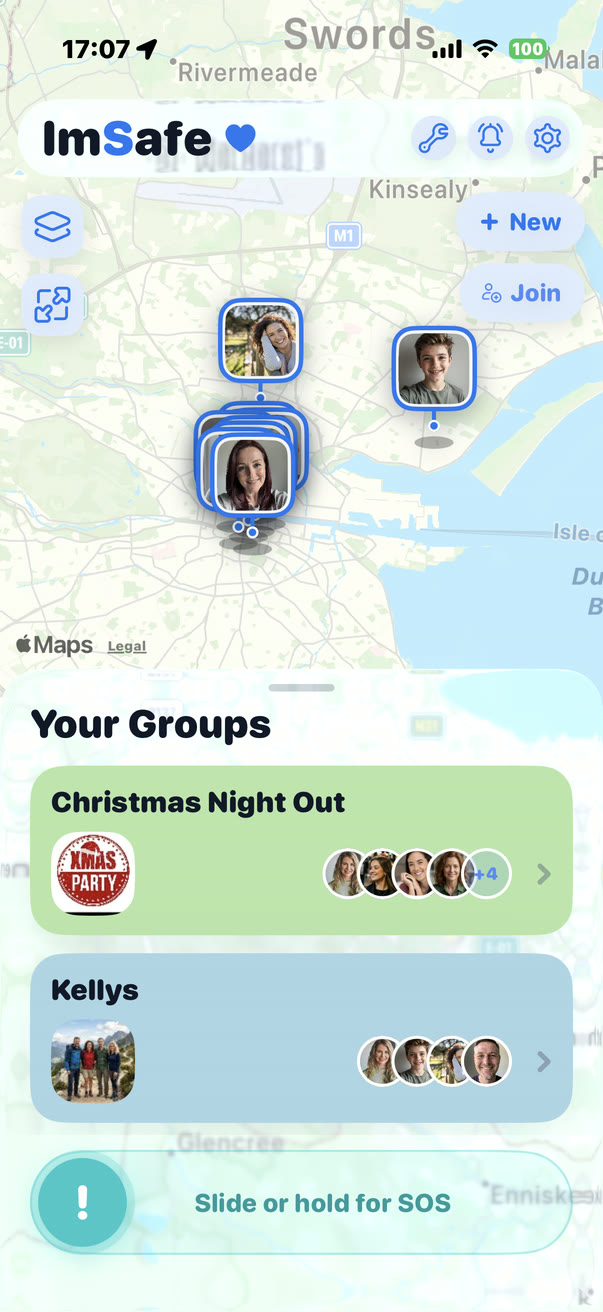
- Your groups live on Home. Each box is a group. Tap one to open it and see its members on the map.
- Create or join a group. Tap New to start a group and invite people. Tap Join to enter an invite code someone sent you.
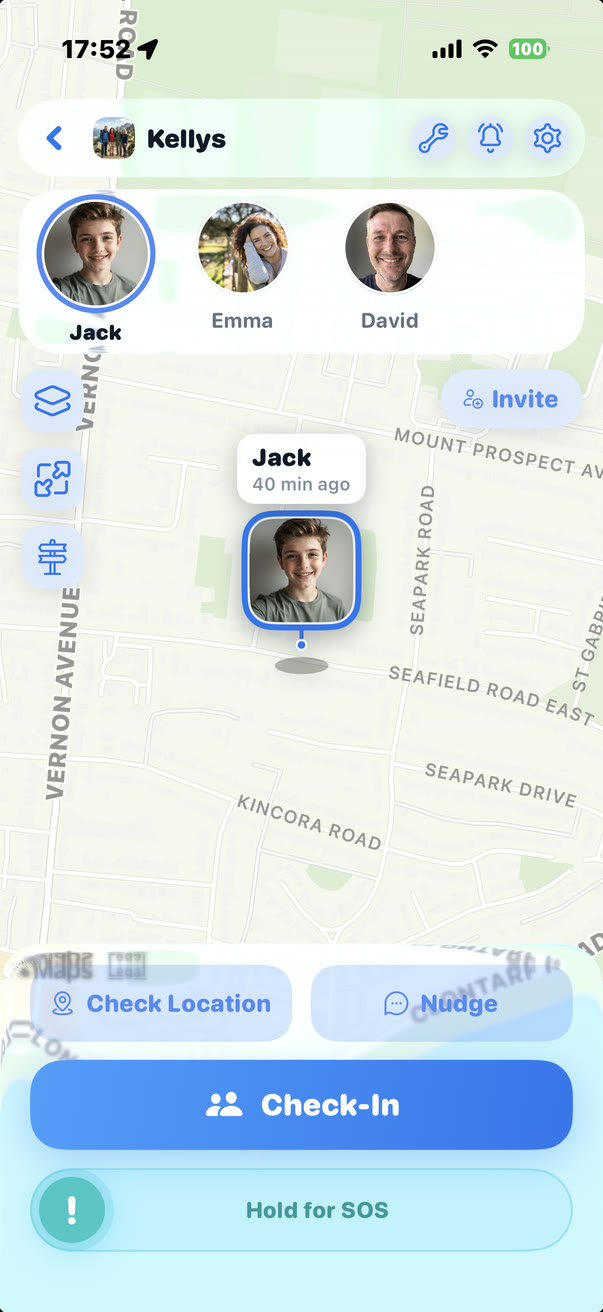
- Pick a person. Inside a group, tap someone along the top to select them and see them on the map.
- Send a nudge. A nudge asks them to check in. It doesn’t ask for their location.
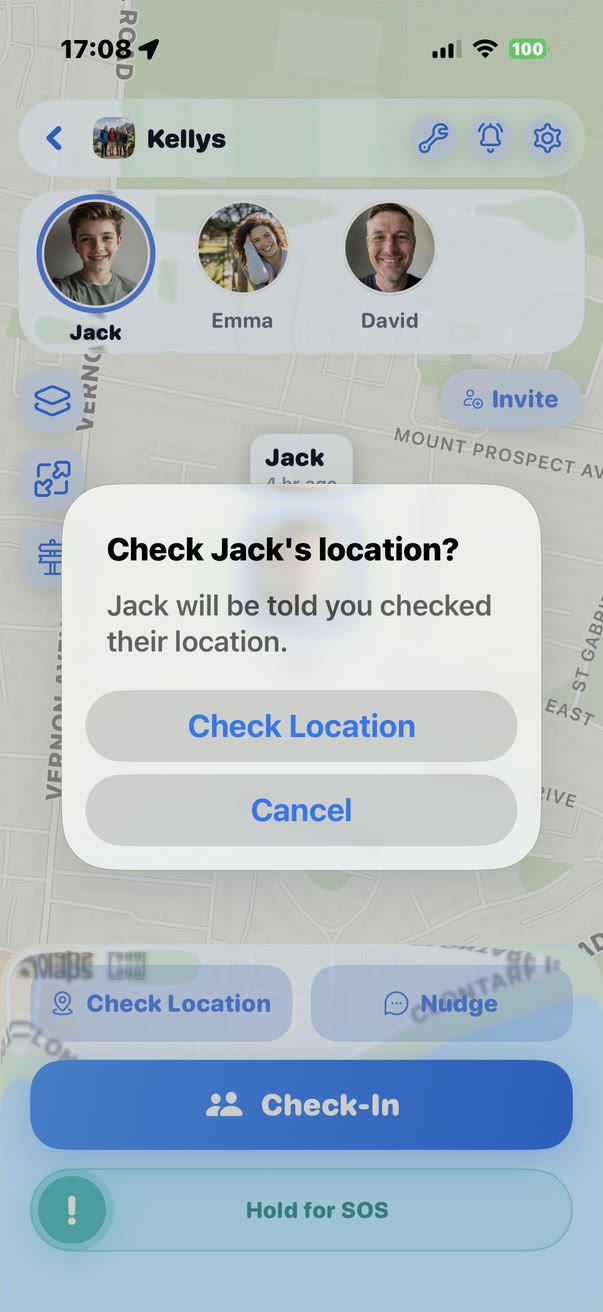
- Check a location. Tap Check Location and confirm. They’re always told you checked, and a timer shows while they have time to answer first.
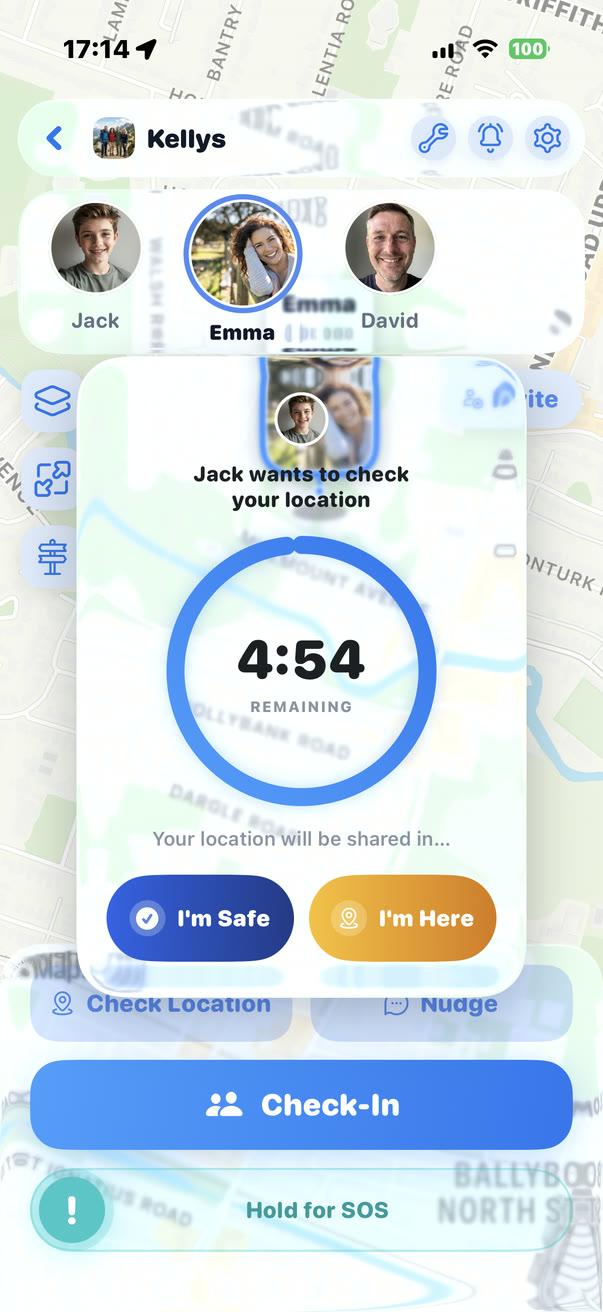
- When someone checks your location. You get a countdown. Tap I’m Safe to answer without your location, or I’m Here to share it now. If it runs out, your location is shared.
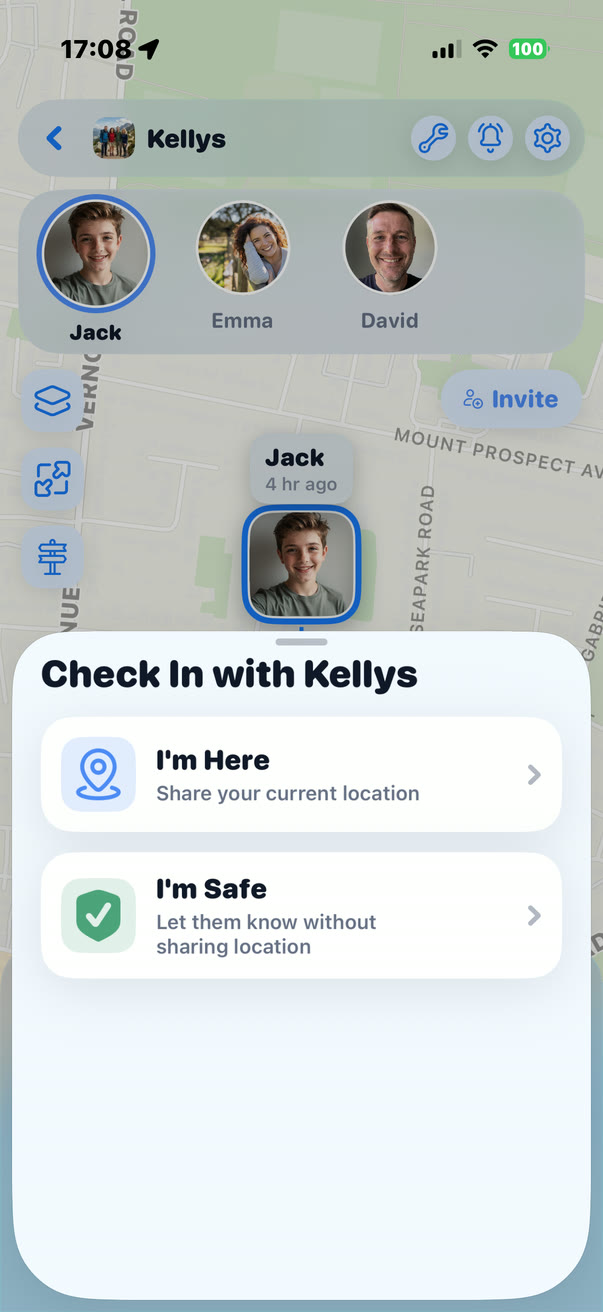
- Check in. Tap Check-In to tell your group you’re OK. I’m Here shares where you are. I’m Safe doesn’t.
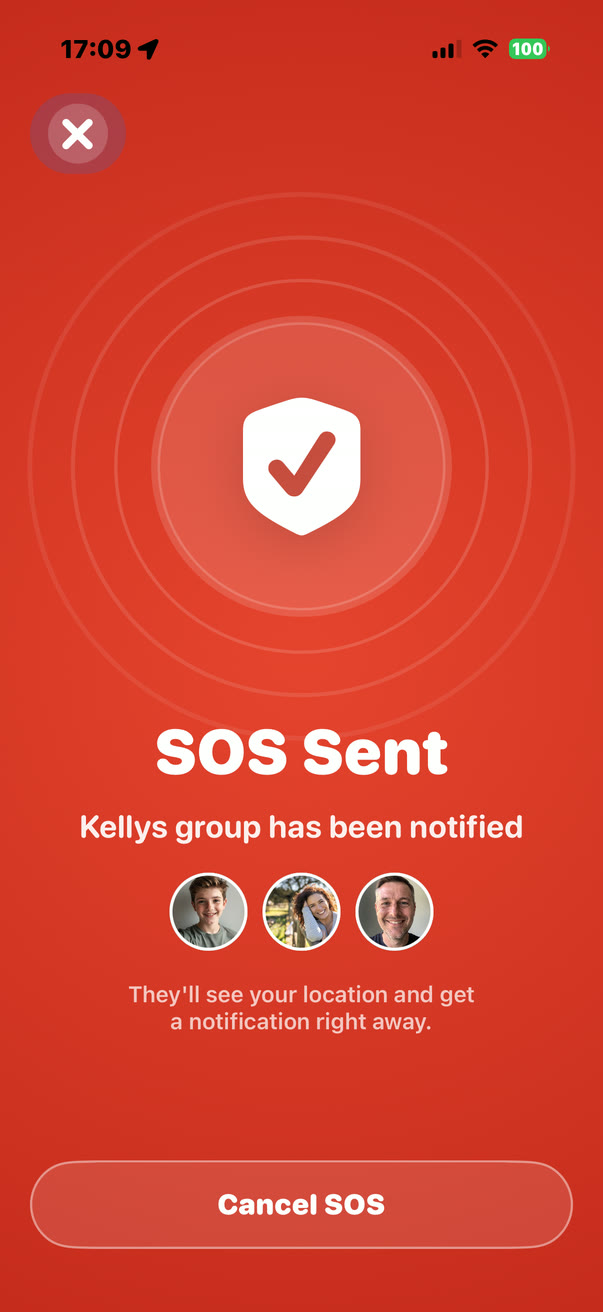
- Send an SOS. Slide or hold the SOS button in an emergency. Your group is alerted and sees your location right away.
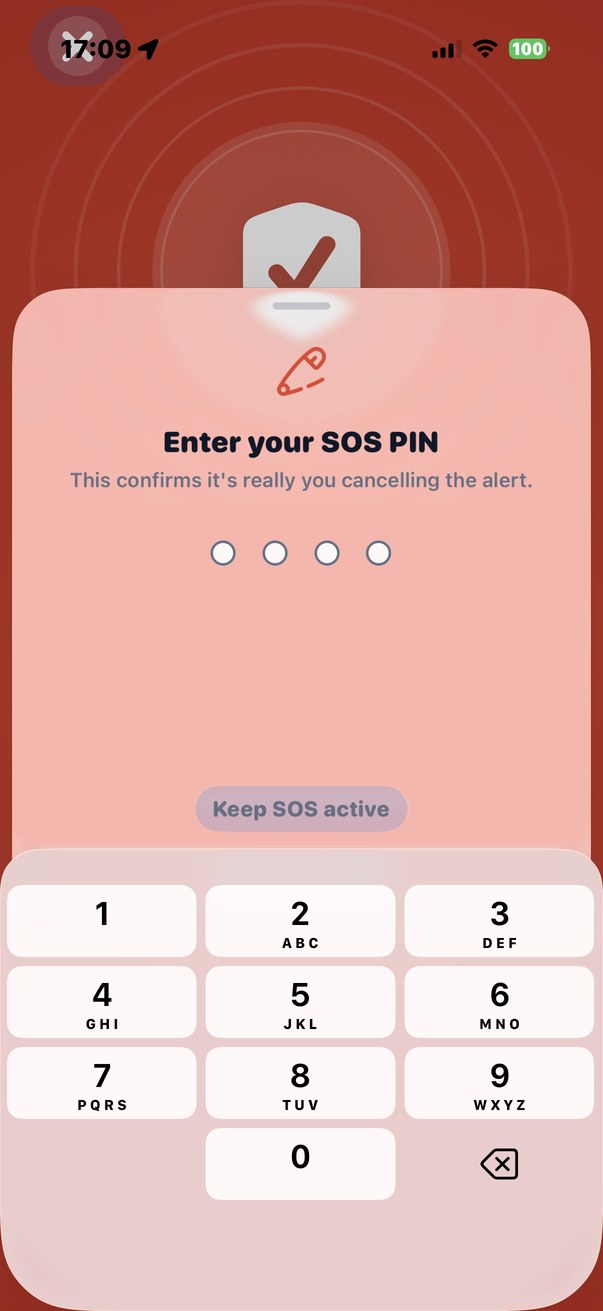
- Cancel with your PIN. Tap Cancel SOS and enter your SOS PIN. That confirms it’s really you calling it off.
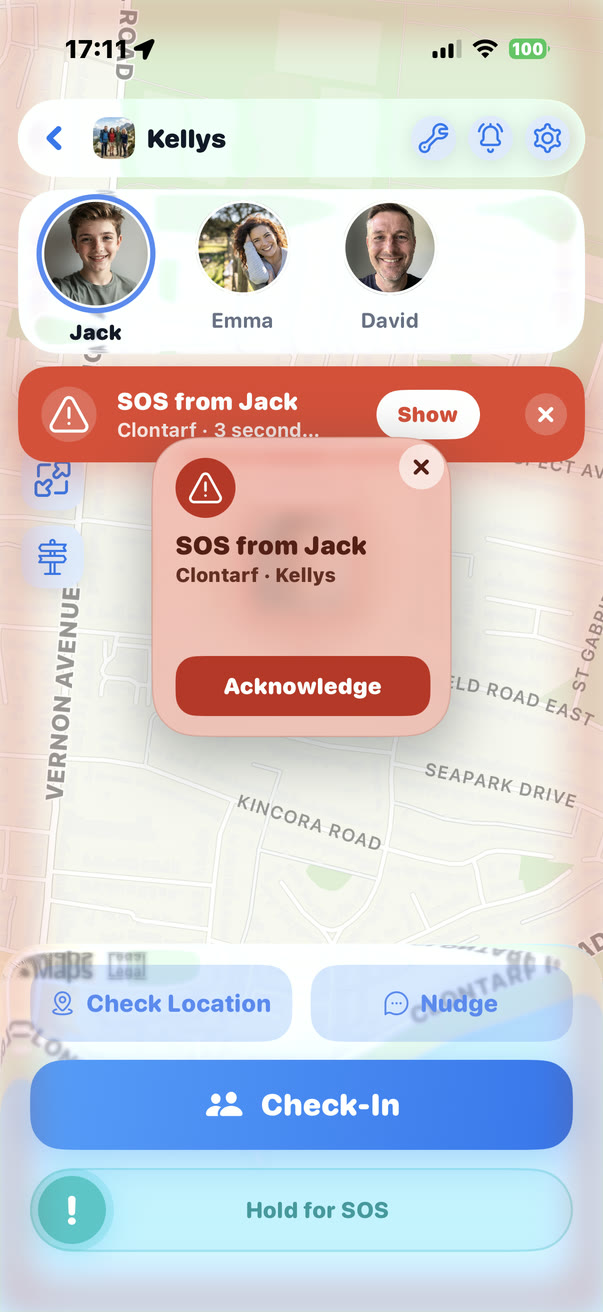
- When someone sends an SOS. Tap Acknowledge so they know you’ve seen it, then Show to find them on the map.
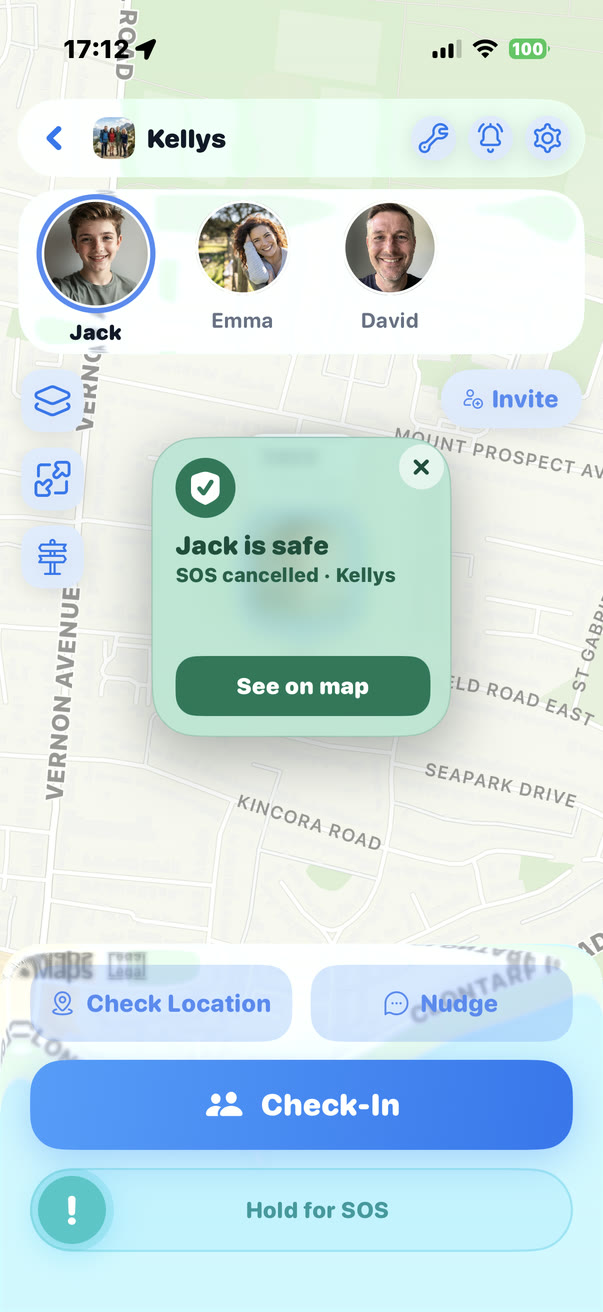
- When they’re safe again. You’re told as soon as they cancel the SOS.
1 of 11
Your groups live on Home
Each box is a group. Tap one to open it and see its members on the map.
Step 1 of 11
Your groups live on Home
Each box is a group. Tap one to open it and see its members on the map.