
Features
An SOS button that alerts the people you trust
When something's wrong, one slide tells your group and shows them where you are.
Get ImSafe for iPhoneAndroid app coming very soon
How it works
- 1
Slide or hold the SOS button.
- 2
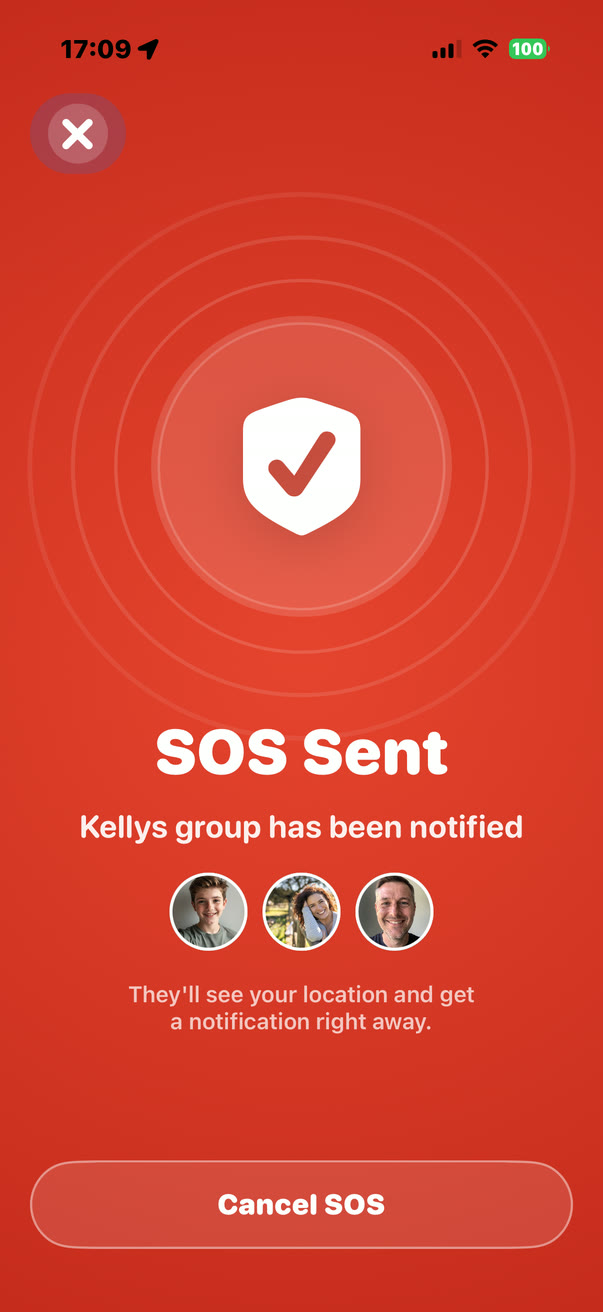
Your group is alerted and sees where you are right away.
- 3
Each person taps Acknowledge so you know they've seen it, then Show to find you on the map.
- 4
When you're safe, tap Cancel SOS. Your group is told as soon as you do.
Your location keeps updating
While an SOS is active, your location keeps updating for the groups that received it, including in the background and when the app is closed. For that to work, ImSafe needs Location permission set to Always. It stops the moment you cancel.
Everyone, or just one group
You can alert all your groups or only one of them, so an SOS reaches the people who can actually help.
An optional PIN, so it's really you
You can set an SOS PIN in Settings. Once it's set, cancelling an SOS needs the PIN, so your group knows it was you who called it off and not someone holding your phone. Without one, Cancel SOS works straight away.
Not a replacement for emergency services
ImSafe alerts the people in your group. It doesn't contact the emergency services, so call your local emergency number if you're in danger.
When to use it
Use SOS when you need the people you trust to know, right now, that something is wrong and where you are. That might be feeling unsafe walking home, being followed, a medical problem when you're alone, a car breakdown somewhere unfamiliar, or getting separated from your group in a crowd.
If you're in danger, call your local emergency number as well. ImSafe gets your own people moving while you do.
What your group sees
Everyone in the group gets an SOS notification straight away. Opening it shows who sent it and their location on the map, updating as they move. Each person can tap Acknowledge, and the sender sees who has seen the alert, so they know help is on the way and from whom.
When the SOS is cancelled, the group is told it's over and live location sharing stops.
Built so it's there when you need it
The SOS button is on the Home screen, not buried in a menu. Sliding or holding it means it's quick to send on purpose but hard to send by accident in a pocket or bag. Because ImSafe doesn't track you the rest of the time, the alert stands out when it comes, and your group knows it matters.
Common questions
Does ImSafe call the police or an ambulance?
No. An SOS goes to the people in your group, not the emergency services. If you're in danger, call your local emergency number too.
What if I send an SOS by accident?
Tap Cancel SOS straight away. Your group is told it's been cancelled. If you've set an SOS PIN, you'll enter it first.
Does the SOS keep working if I lock my phone?
Yes, as long as Location permission is set to Always. Your location keeps updating for the group in the background until you cancel the SOS.
Who receives my SOS?
You choose. Send it to all your groups, or only to one of them.
More from ImSafe
Guides
- How to check on an elderly parent who lives alone
- Should you track your teenager's phone?
- How to let friends know you got home safe
More questions? See the FAQ, or how ImSafe compares as a Life360 alternative.